LibraryCurator
Uses AI to help your team write, improve, and organise the Q&A library entries that every other agent relies on, so the knowledge at the core of Responsemate stays accurate and useful.
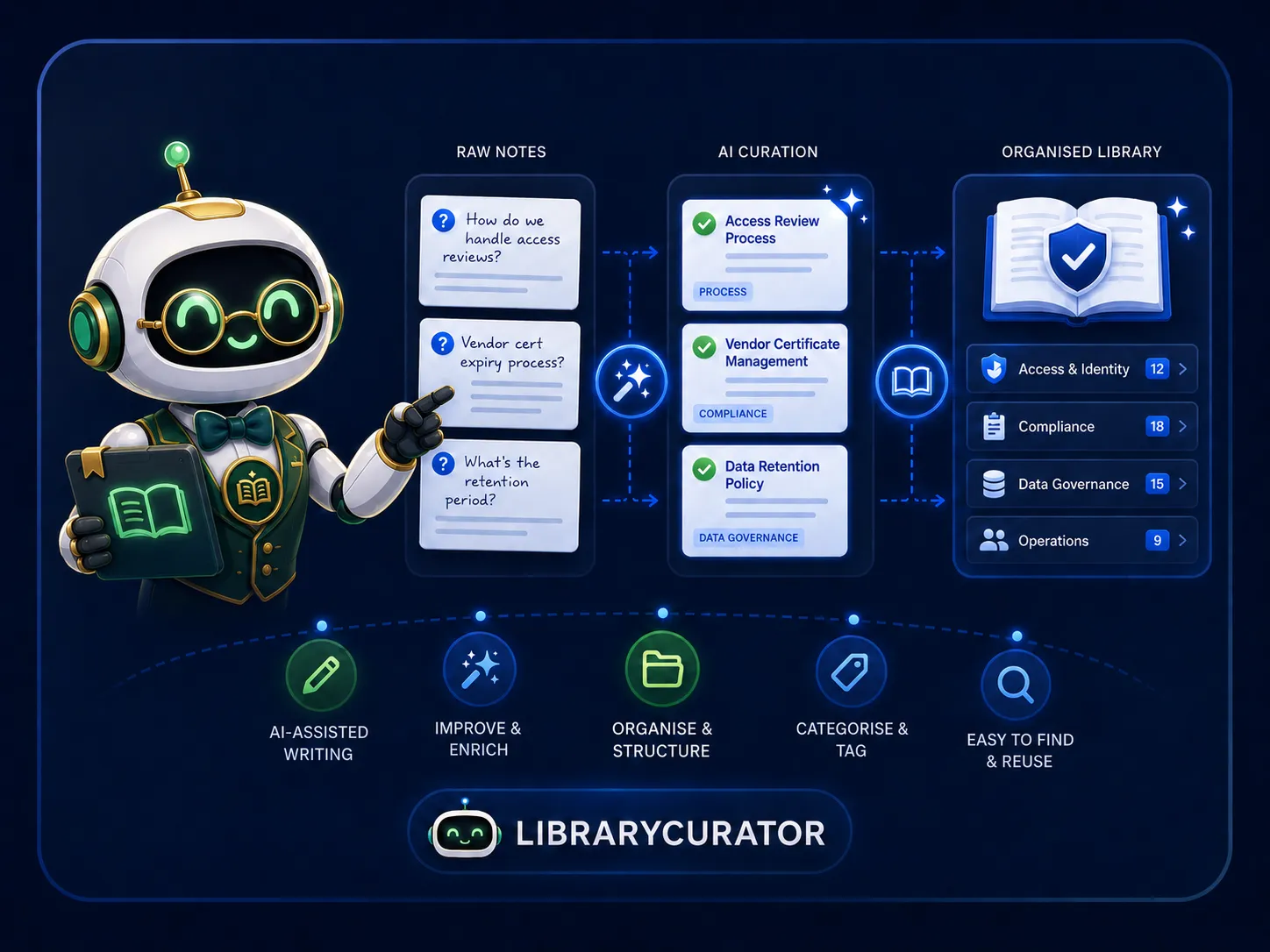
The quality of your answers starts with the quality of your library
Responder, EvidenceFinder, and AI Chat all draw from the same source: your Q&A library. LibraryCurator focuses on keeping that library in good shape. Whether you are writing a new entry from scratch, importing hundreds at once from Excel, or revisiting entries that CoverageScout flagged as gaps, LibraryCurator applies AI at each step, generating titles, improving answer phrasing, suggesting alternative question wordings, and classifying entries into the right modules and tags automatically.
- ✓AI generates titles, improves answers, and suggests phrasings
- ✓Auto-classifies entries into modules and tags
- ✓Bulk import from Excel with progress tracking and rollback
- ✓Shows which questionnaires each entry has been used in
- ✓Reviewer assignment with scheduled review dates
- ✓Works directly from CoverageScout gap resolutions
How LibraryCurator works
Four capabilities that keep your knowledge base accurate, well-structured, and ready for every questionnaire.
AI-assisted entry writing
When creating or editing a Q&A library entry, LibraryCurator can generate a concise title from the question and answer, rewrite the answer for clarity and tone, and suggest alternative phrasings so the entry matches the many different ways the same question gets asked across questionnaires. Each action is a one-click suggestion and your team stays in control of what gets saved.
- Generate a title automatically from the Q&A content
- Rewrite and improve an existing answer
- Suggest alternative question phrasings for the same topic
Auto-classification
Manually tagging every library entry with the right module and tags is tedious at scale. LibraryCurator analyses each entry's content and suggests the modules and tags it belongs in, so the scoping that CoverageScout, Responder, and EvidenceFinder rely on is always consistent, even when entries are added quickly or in bulk.
- Suggests relevant modules and tags for each entry
- Keeps scoping consistent across the knowledge base
- One-click to accept suggestions, or adjust manually
Bulk import from Excel
Teams migrating from spreadsheets or exporting from previous questionnaire tools can import hundreds of Q&A entries at once from Excel. LibraryCurator tracks import progress in real time, flags rows with issues, and supports full rollback if an import needs to be undone, removing the risk of bulk operations on a live knowledge base.
- Import hundreds of entries from a structured Excel file
- Real-time progress tracking per import job
- Full rollback available after any bulk import
Reviewer assignment and usage tracking
Library entries can be assigned to a named reviewer with a scheduled review date, so periodic accuracy checks are part of the workflow rather than a separate task. Each entry also shows which questionnaires have relied on it, giving teams a clear picture of which entries carry the most weight and most deserve careful maintenance.
- Assign a reviewer and review date to any entry
- See which questionnaires each entry has been used in
- Filter by entries due for review in the knowledge base