Insights and frameworks
What happened, where the gaps are, and how your answers map to the standards customers ask about. The add-ons that turn a pile of questionnaires into a picture of your security posture.
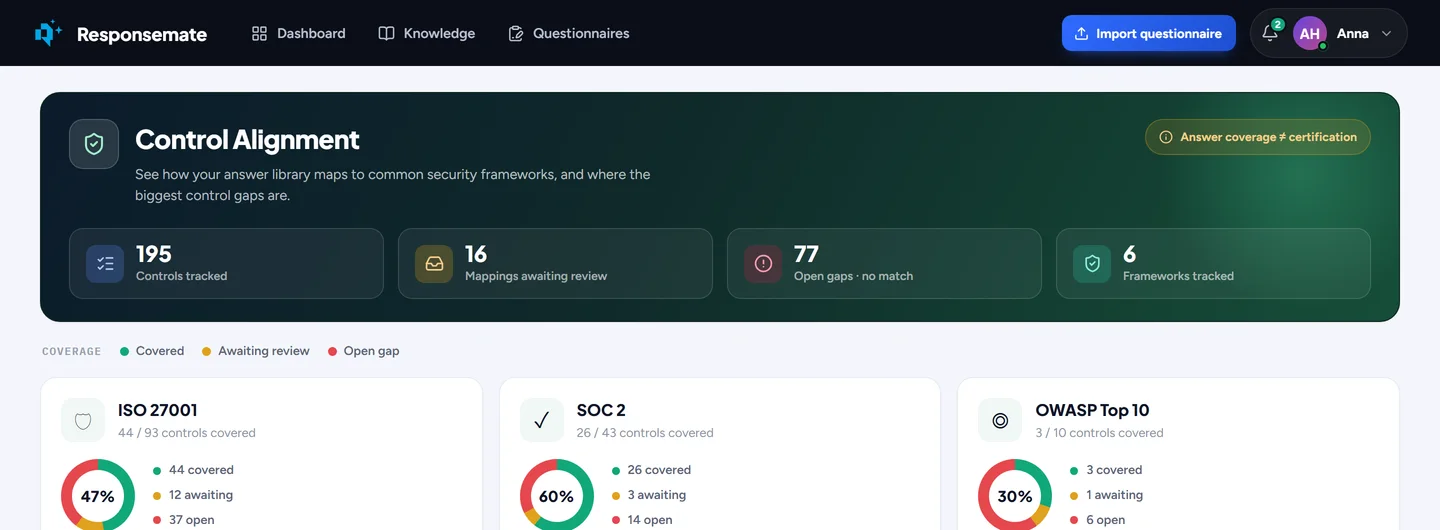
Control alignment tracks your library against six frameworks, control by control.

Control alignment
See how your library maps to ISO 27001:2022 Annex A, SOC 2, NIST CSF 2.0, GDPR, OWASP Top 10 and Cyber Essentials, control by control. The AI suggests which entries cover which control; you confirm the mapping or fill the gap. It is a coverage view of your answers, not a certification, and the page says so.
- All 93 ISO 27001 controls, the SOC 2 criteria, the 22 NIST CSF categories, a curated GDPR set, OWASP Top 10, Cyber Essentials
- Covered, awaiting review, or open gap per control
- AI-suggested mappings you confirm; gaps you can fill from the page

Knowledge coverage
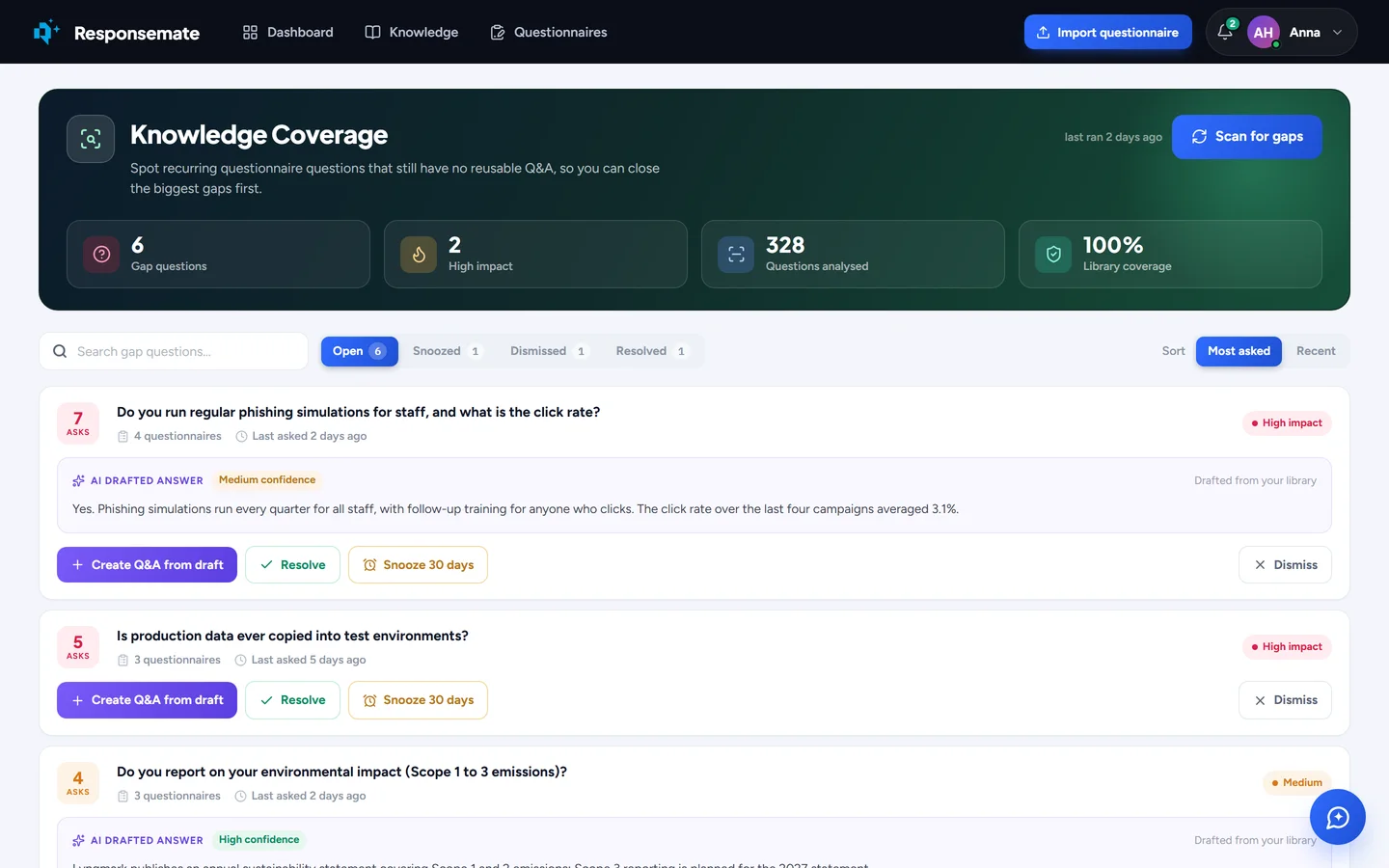
Questions that keep coming up in questionnaires without a reusable answer are gathered into a backlog, most-asked first, each with an AI-drafted answer from the answers you gave before. Accept one into the library, snooze it, or dismiss it. Where the past answers disagree with each other, it says so instead of drafting from them.
- Recurring questions clustered across all your questionnaires
- How many times and in how many questionnaires each was asked
- A drafted answer per gap, or a warning when your existing answers disagree

Vendor monitoring
Questionnaires ask which vendors you rely on and how they stand. Add a vendor by domain and Responsemate reads its public trust centre and security pages: certifications, subprocessors, how complete the profile is. Rescan when you want to, and see what changed since last time as a drift alert. Keep your own notes and documents on top, and see vendors and subprocessors as a network.
- Certifications, subprocessors and a completeness score per vendor
- Drift alerts between scans; scans run when you add a vendor or press rescan
- Your own notes and overrides kept next to what was scanned
- A network view of your vendors and their subprocessors
Clients, reports and the record
Every client has a page with its contract documents, its questionnaire history and a side-by-side comparison of two questionnaires. The AI usage report shows which sources the AI leans on, how often its drafts were kept as they came, hours saved and confidence over time, and downloads as a PDF. The activity history records everything that happened in the workspace, by day, searchable, with what Responsemate did on its own marked as such.
- Clients with contracts, history and a questionnaire comparison
- AI usage report as a PDF, per period
- Activity history: who did what, when, filtered by person or kind
- AI logs for admins: every call, what it was asked, what it answered
The questions you keep getting
Knowledge coverage: the most-asked questions without a reusable answer, with a drafted answer each, ready to add to the library.
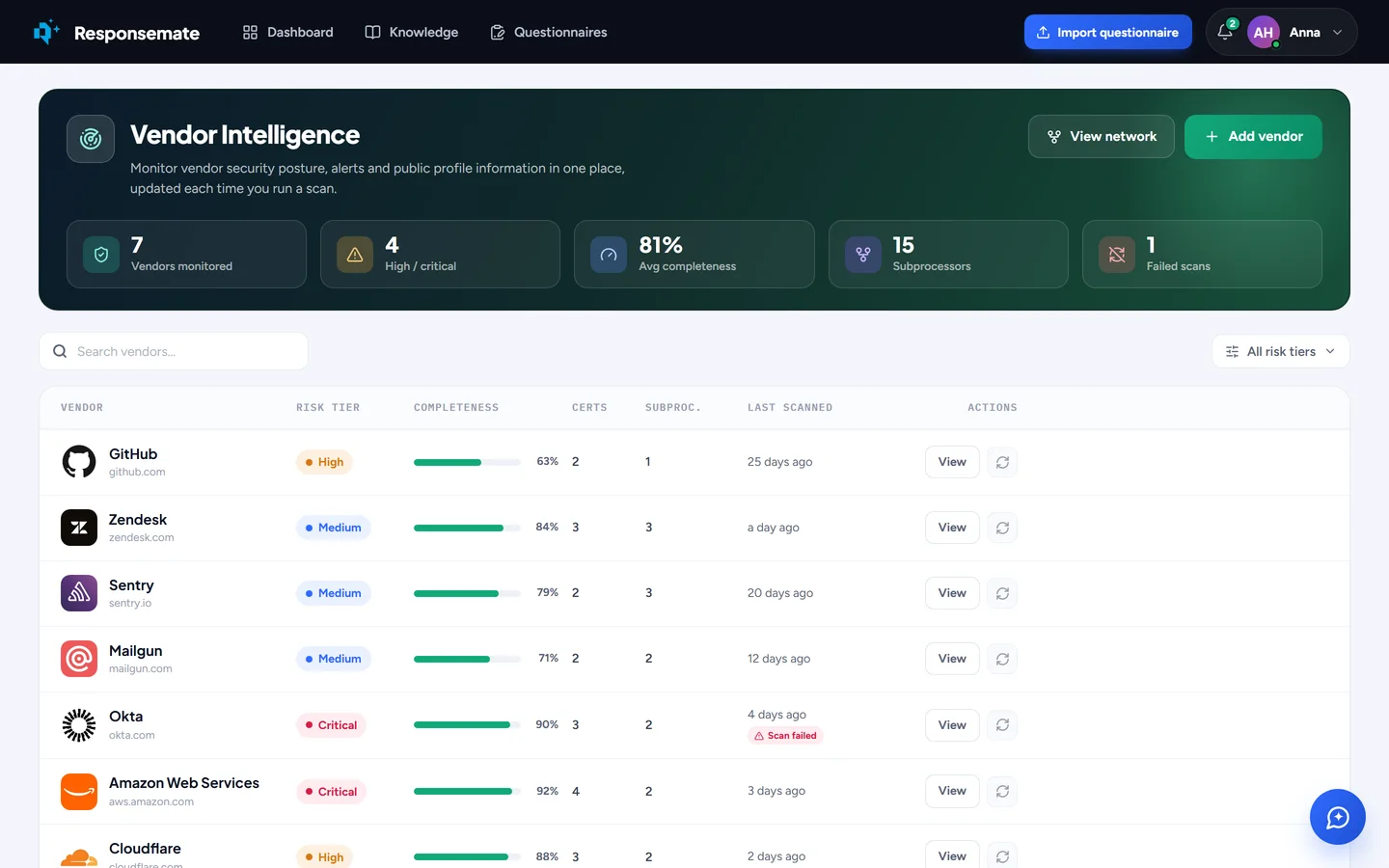
Vendor monitoring.
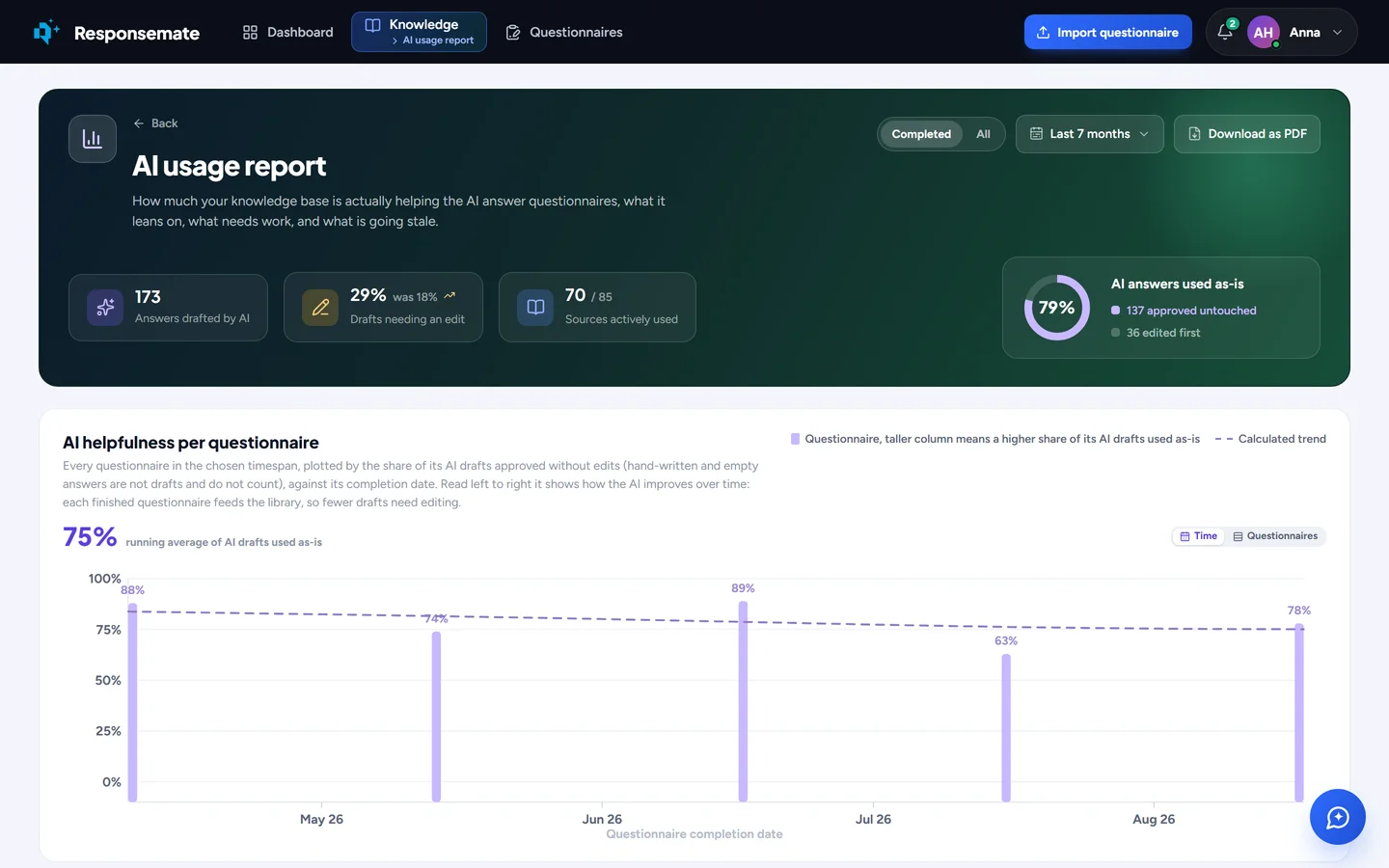
The AI usage report, with a PDF download.
Related