A knowledge base that keeps security questionnaire answers current
Everything the AI answers from, on one page: Q&A entries, files, links and the questionnaires you have already completed. With a date on every source, a nightly cleanup, and suggestions for what is missing.
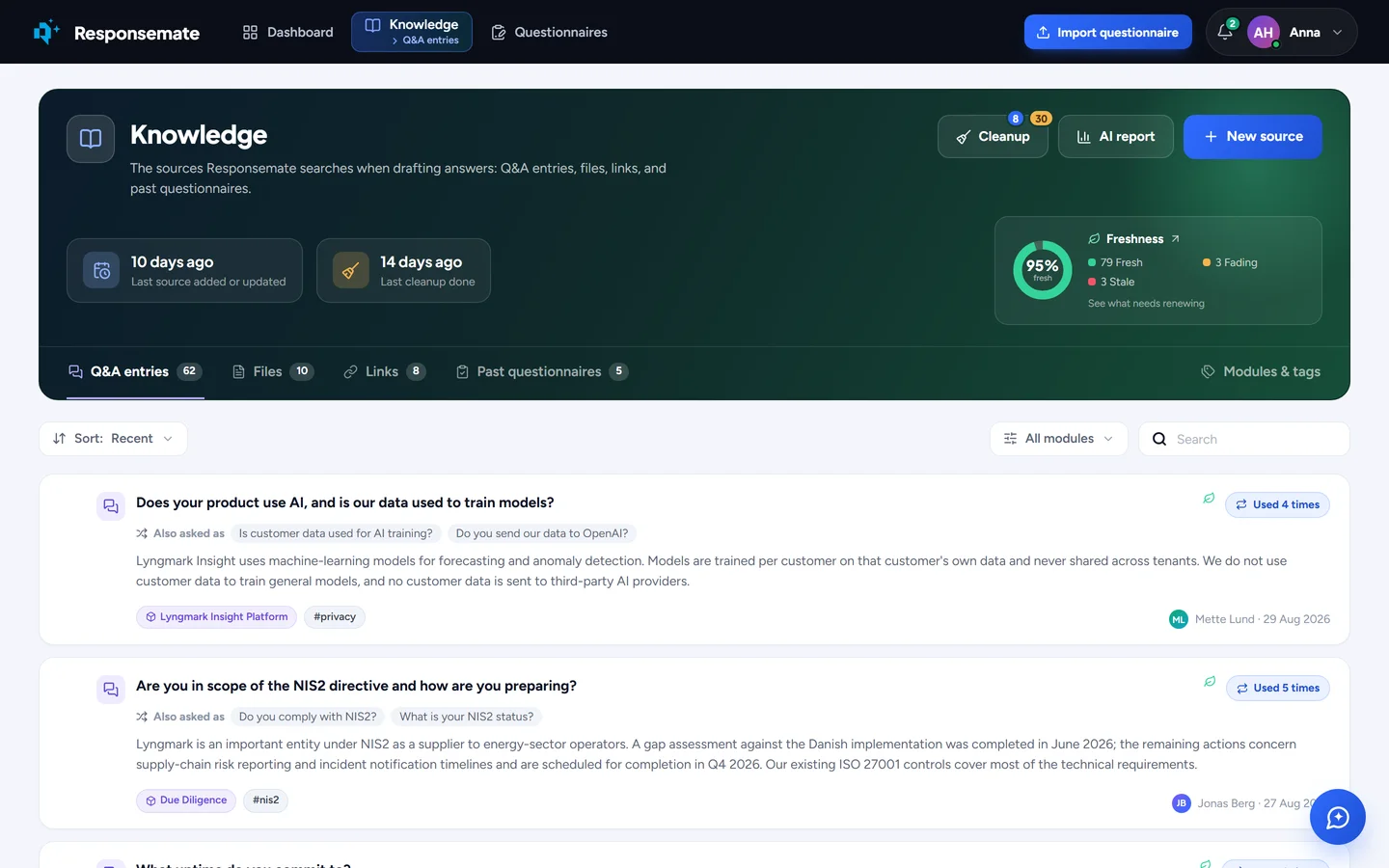
The Knowledge page. Each Q&A entry shows its other phrasings, its module and tags, and how often the AI has used it.
The quality of the answers is the quality of the library
The AI can only be as good as what you give it. So the knowledge base is not a folder of uploads. It knows when each source was last changed, when it expires, which answers it has been used in, and whether another entry says the same thing in different words.
- Q&A entries with alternative phrasings and several answers per entry, by region, segment, product or framework
- Files and web pages read and indexed on their own; API documentation too
- SharePoint libraries imported and kept in sync, with a check for newer or moved versions
- An expiration date on every source, and a freshness view of what to renew first
- A nightly cleanup: duplicates, overlaps, conflicts, forgotten and stale sources
- Suggested additions drafted from the questions you keep getting

One knowledge base, four kinds of source
Write a Q&A entry, or import hundreds from a spreadsheet with a preview first and an undo for the whole batch. Upload a policy and it is read, split into sections, summarised and indexed without you doing anything. Give one address and the AI walks your trust centre, proposing the pages worth adding. Import an OpenAPI file and it answers technical questions from your API documentation. Approved answers in completed questionnaires feed the next ones, and you can exclude any answer that was right for one customer only.
- Q&A entries, files, links and past questionnaires, filed by module and tag
- Every Q&A entry shows who wrote it and keeps each earlier version
- Bulk import from Excel with preview and undo; export the whole library as one workbook
- Explore a website for sources; OpenAPI and Swagger files as sources
- AI-written descriptions, document type and suggested expiration date for every file and link
- Open any source and see which answers drew on it, and how often

Freshness
Give any Q&A entry, file or link an expiration date, or accept the one the AI suggests from its contents. The AI keeps using a source after it expires, but its confidence falls as the source ages, and the freshness view shows what fades when and what to renew first, ranked by how many answers rely on it. Renewing is one click.
- Fresh, fading and stale, on a ring and on a calendar of what expires when
- Expired sources still work; they just lend less confidence to the answers built on them
- Worth renewing first: the sources that most answers rely on
- Replace a file and keep its history: old answers still point at the version they used

Cleanup, every night
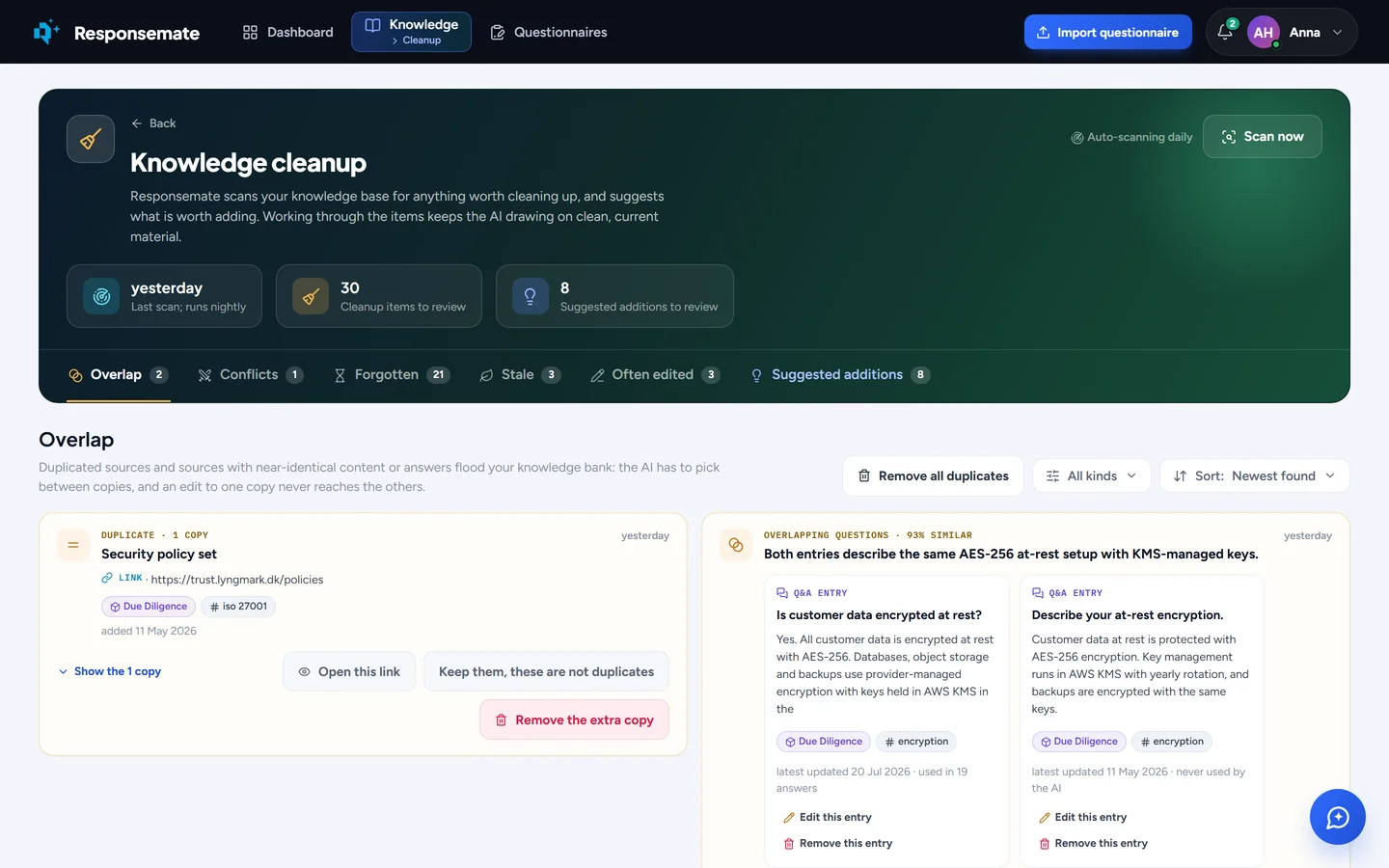
A scan runs nightly and finds duplicates, entries that overlap, entries that contradict each other, sources nobody has used, sources that have gone stale, and sources whose answers usually get edited. You merge two entries and choose which one stays, keep both, or remove one, with a preview of what changes. The same page suggests clearer names for modules and tags and better-worded questions, applied in a click.
- Overlap, conflicts, forgotten, stale, and often-edited sources
- Merge with a survivor of your choice, keep, or remove, with a preview
- Text improvements for module and tag names and Q&A questions
- Suggested additions: the questions you keep getting without a reusable answer, each with a drafted answer to accept, edit or dismiss

Files with a history and two switches
Every file shows who uploaded it, when its content last changed, and its earlier versions. Two switches decide what the AI may do with it: answer from it, suggest it as evidence for a question, or both. The pen-test report can be attached as evidence without ever feeding an answer. With SharePoint connected, files are imported and kept current on their own, and any file can be checked for a newer or moved version.
- Uploader, last content change and full version history per file
- Allow as a source, as an attachment, or both
- SharePoint sync, plus a one-click check of any file against SharePoint
- Modules and tags to file it all, merge duplicates and see what nobody uses
What the cleanup finds
Overlapping entries side by side, with the choice to merge, keep or remove. Below it, the additions the AI suggests from questions your library keeps failing to answer.
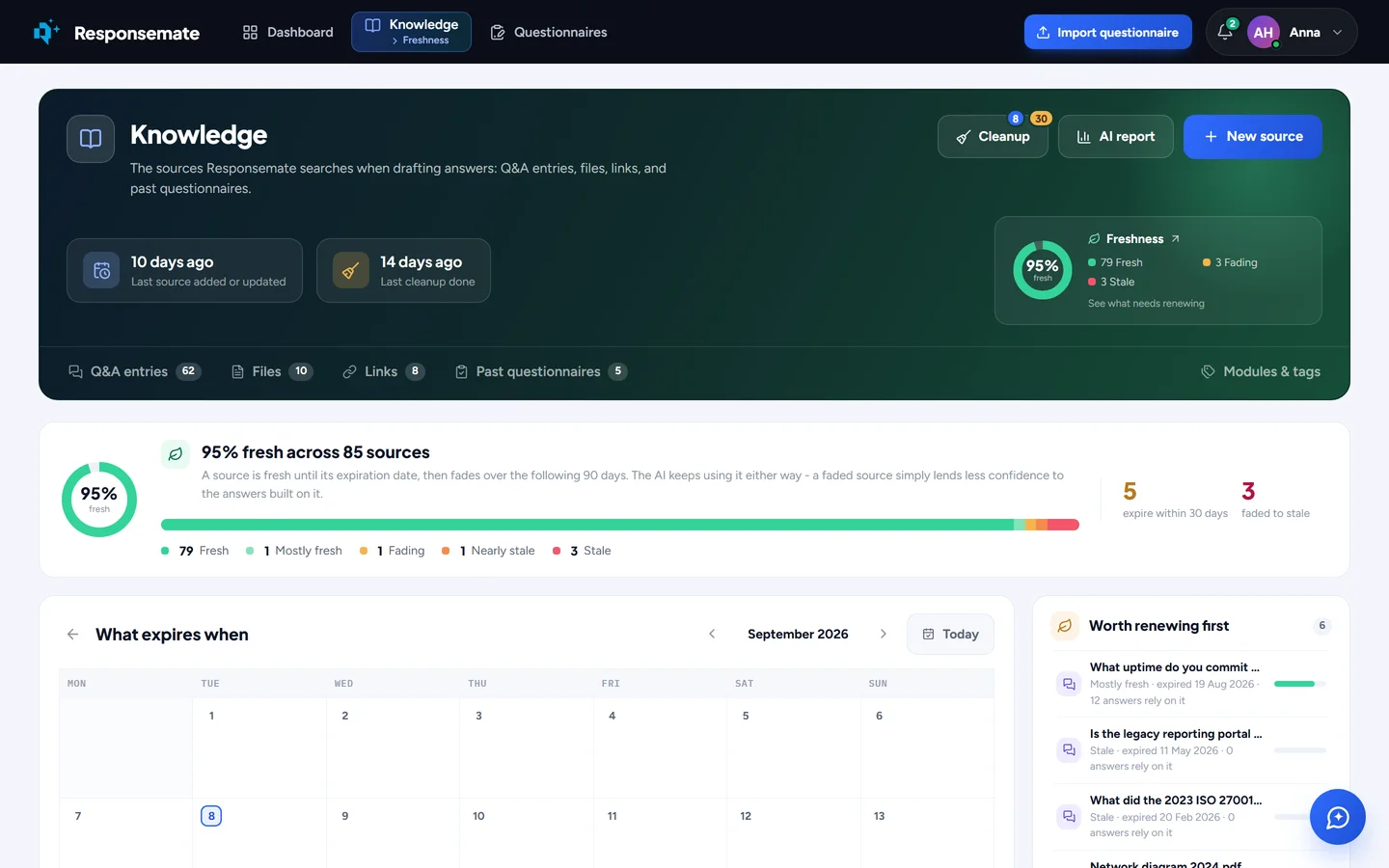
The freshness view: what expires when, and what to renew first.
Related