Team and integrations: Microsoft 365, SharePoint, Slack and your own AI provider
Your people, your settings, and the tools you already use. Responsemate fits into Microsoft 365, Slack and Claude, and runs on the AI provider you choose. It also works on a phone, for reading a draft and changing an answer away from your desk.
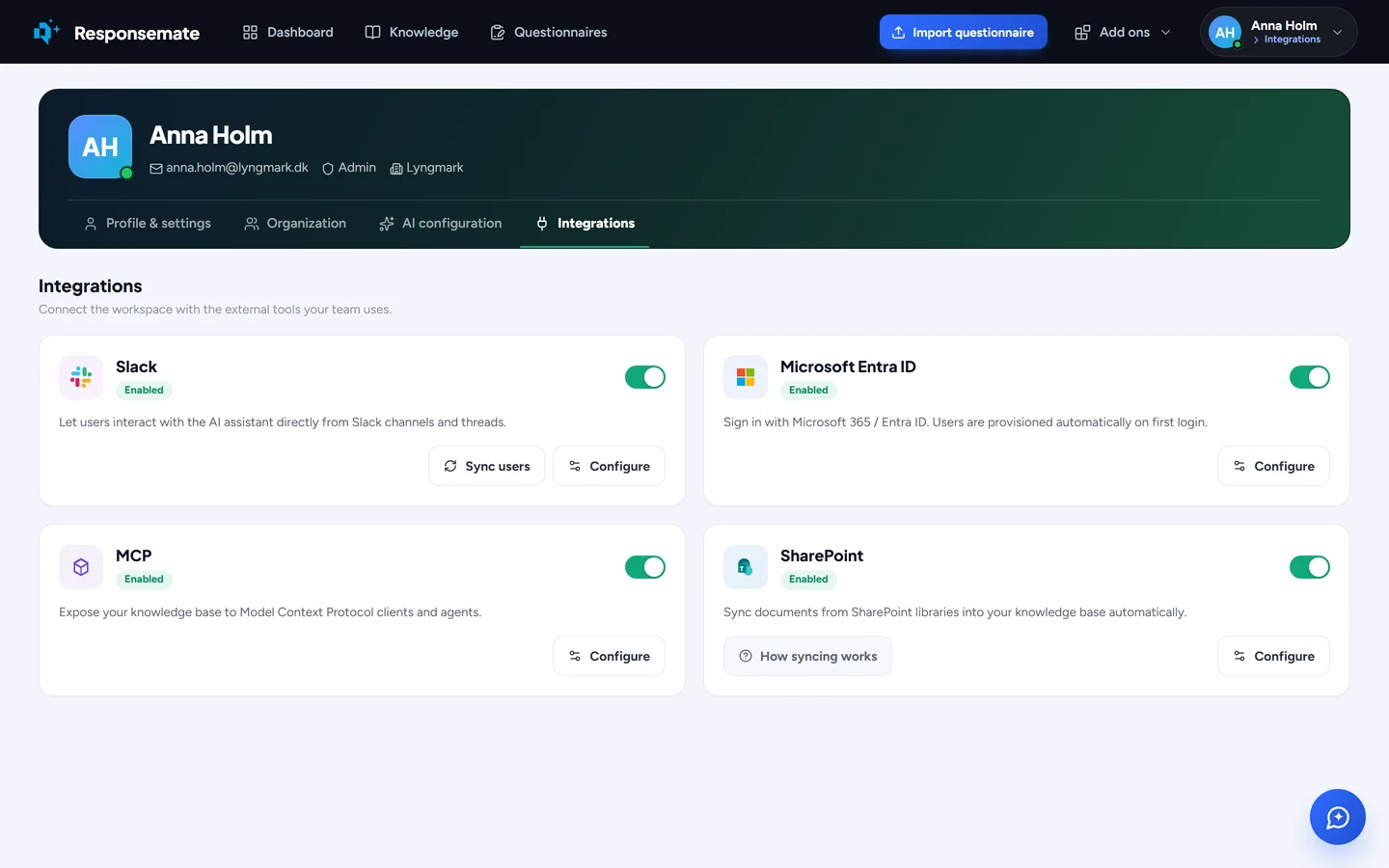
The Integrations tab on the Account page.

SharePoint
Most teams already keep their policies and certificates in SharePoint. Connect it once, pick the libraries, and the files are imported and kept current on their own. A colleague updates the DPA template in SharePoint; within the hour Responsemate holds the new version, and old answers still show which version they were based on. Any file, including ones you uploaded by hand, can be checked against SharePoint for a newer or moved version and linked from there.
- Browse or search your libraries and tick the files to add
- Sync keeps them current; earlier versions stay in the file's history
- Check any file for a newer or moved copy, replace only when you pick one
- Application credentials set up by your admin, limited to the sites you allow

Slack
Install the Slack app and ask Responsemate from a channel with a slash command or a mention. It answers from your knowledge base, with the sources, and can send a file into the thread. Link your Slack account to your Responsemate user so what you do is recorded as yours, and get a Slack message when a teammate mentions you.
- Slash command or mention in any channel
- Answers with sources, files sent into the thread
- Slack account linked to your workspace user

Claude connector
Connect Responsemate to Claude and work from there with your own permissions: search your knowledge, read and update questionnaires, add Q&A entries and files, replace a file with a new version or retire it, and check what has expired. The connector uses the Model Context Protocol, so other MCP clients your team adopts can use it too. Tokens are issued per user and can be revoked from the Account page.
- Search knowledge, read and update questionnaires, add entries and files, replace or retire files, check expiry
- Your own permissions, a token per user
- Standard MCP, so it works beyond Claude

Sign in with Microsoft, and roles
Organisations on Microsoft 365 sign in with the account they already use at work, with the MFA and conditional access you set in Entra ID. An admin sets it up once, and can make it the only way in by switching off e-mail and password for the workspace. Invite colleagues by e-mail and give them a role: admin, member or viewer. Where the workspace uses passwords, the invitation lets them choose their own. A table shows what each role can do. When someone leaves, disable the account without deleting their work.
- Microsoft Entra ID sign-in via OpenID Connect, or e-mail and a password of at least 12 characters
- Choose which ways of signing in your workspace allows
- Admin, member, viewer, with a table of what each can do
- Disable an account and keep its history; re-enable it later
- Notifications in the bell on every page; a presence dot shows who is working now
Your choice of AI provider
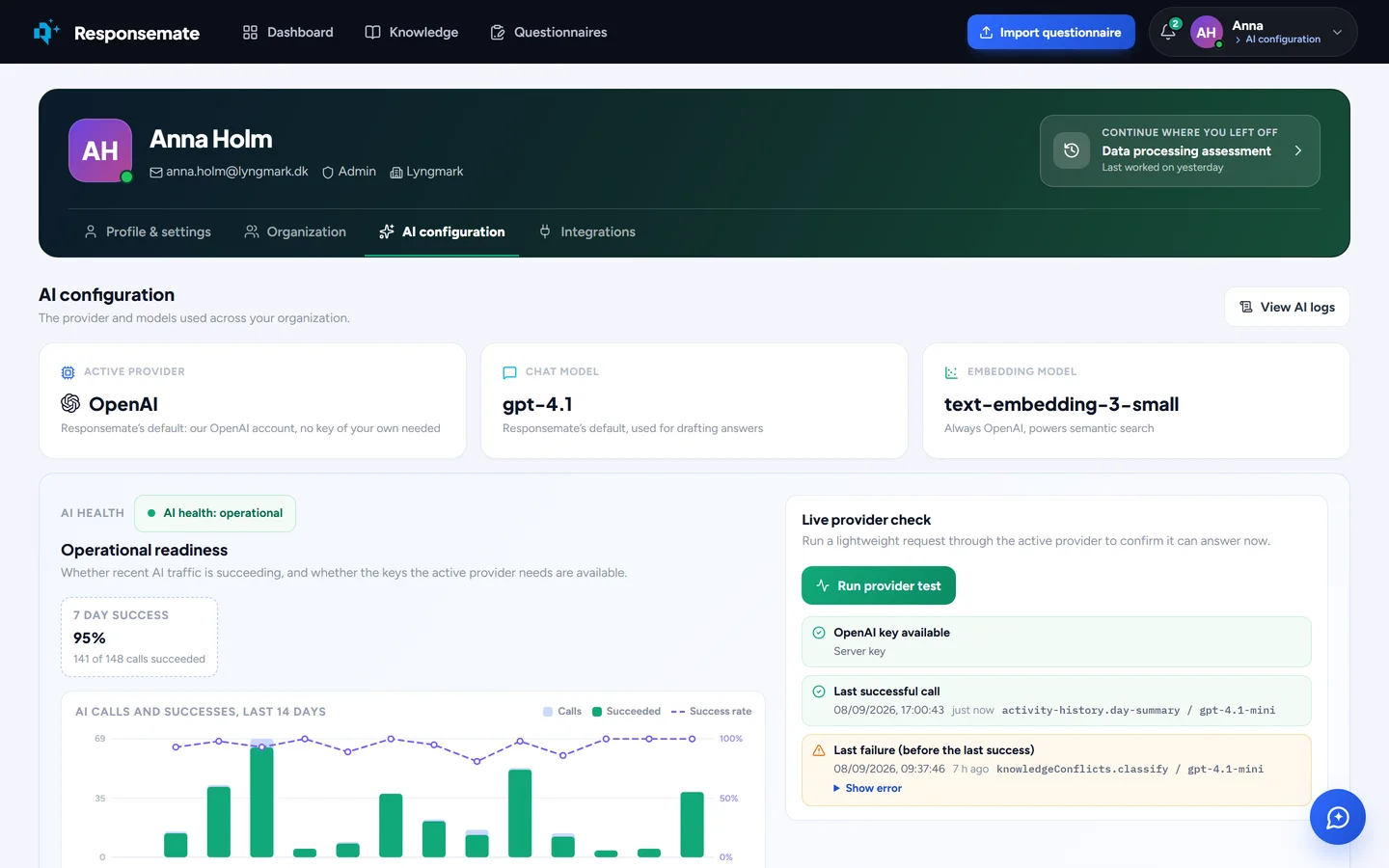
An admin picks the provider on the AI tab and enters your own keys, stored encrypted. Each kind of AI work can run on its own model: heavy judgement on the strong model, mechanical reading on the fast one. Test the connection before you save. The Organization tab also drafts policy and compliance documents from your knowledge base, with gaps marked for you to confirm, and downloads them as Word.
Related