Reports and clients: every customer's history and what the AI did
Each client's contracts and questionnaires in one place, a report on how the AI is doing, and a record of everything that happened in the workspace.
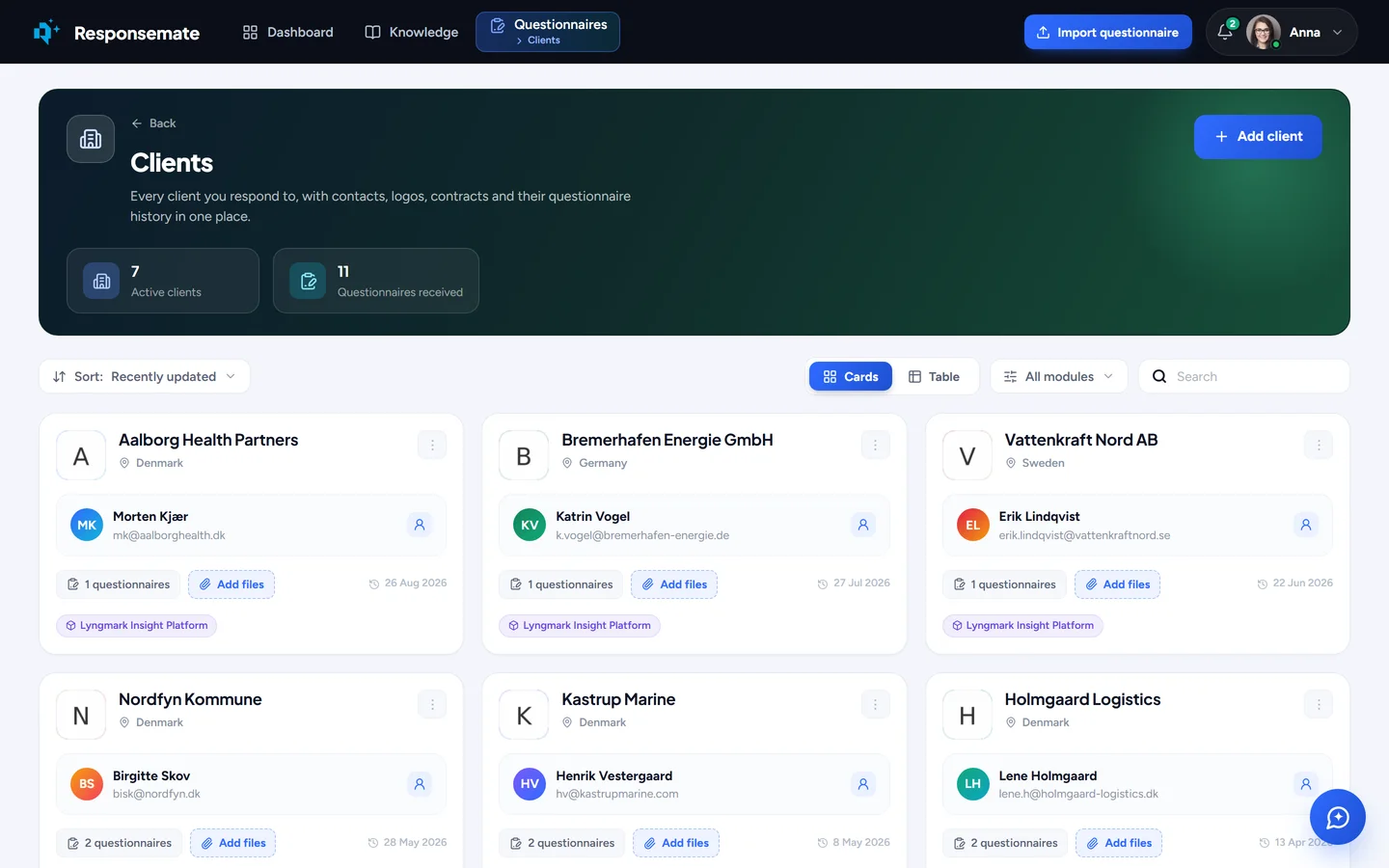
Every customer that sends you questionnaires, with its history.

Clients
Every customer has a page of its own: the contract documents you keep for it, every questionnaire it has sent and where each one stands, and a side-by-side comparison of two questionnaires, so you can see what changed between last year's and this year's before you answer.
- Contact, industry and country, with the contract and NDA documents on the client
- The questionnaire history, with deadlines and status
- Two questionnaires compared question by question
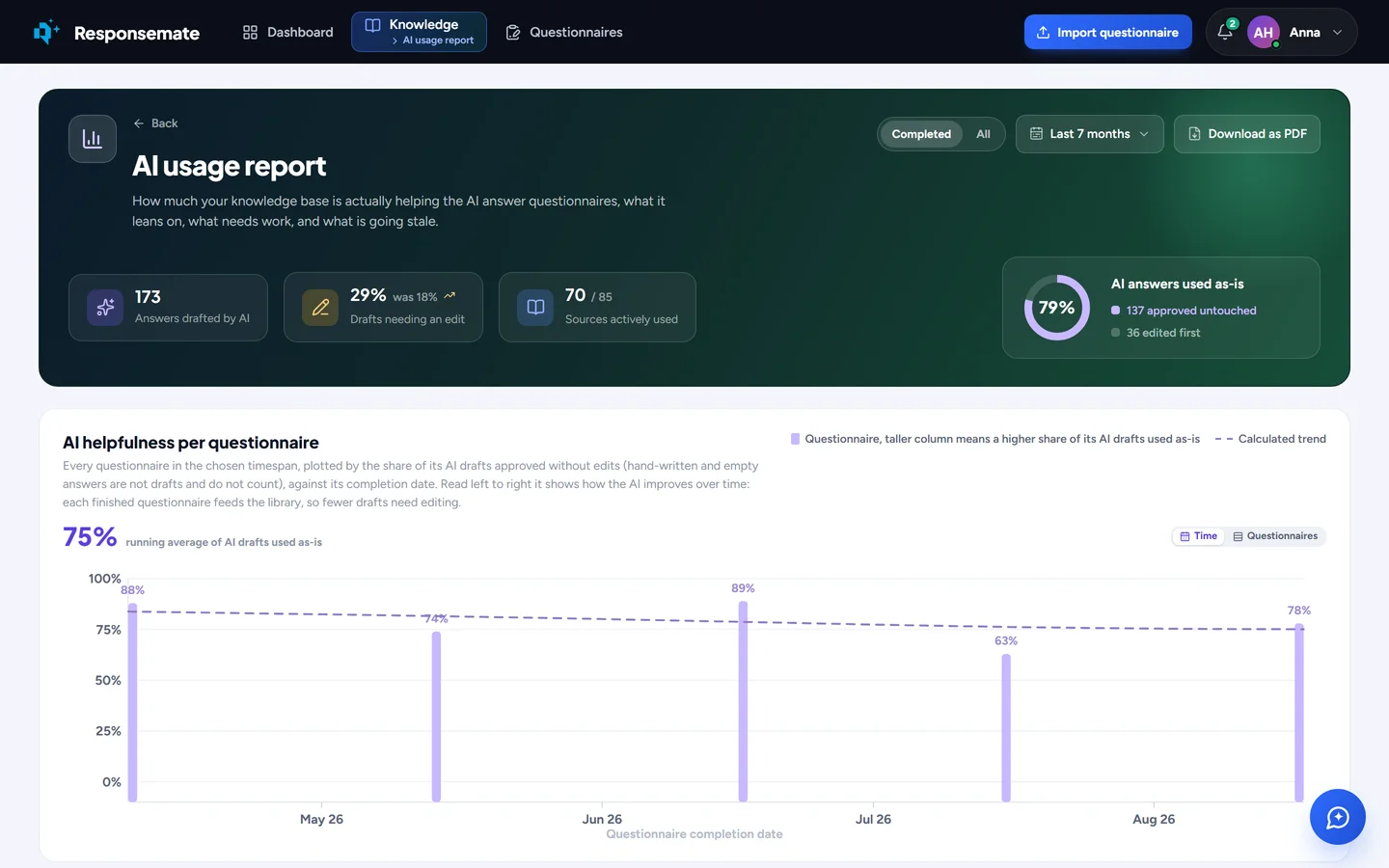
AI usage report
How the AI is doing, per period: which sources it leans on, how often its drafts were kept as they came, how confident it was, and the hours the team did not have to spend. It shows where the knowledge base carries the work and where it does not, and it downloads as a PDF for the people who ask.
- Answers drafted, sources actively used, and the share of drafts used as they were
- Confidence and hours saved over time
- A PDF per period, for management or for a customer

Activity history
Everything that happened in the workspace, by day: who imported what, who approved which answer, what the nightly cleanup found, what the AI did on its own and what it was asked to do. Searchable, filtered by person or by kind, with Responsemate's own actions marked as such, so a question about who changed an answer has a short answer.
- Every action by every person, and every background job
- Search and filters by person, kind and day
- AI logs and the MCP log for admins: every call, what it was asked, what it answered
What the AI did, in numbers
The AI usage report: answers drafted, sources used, and how many drafts went out as they came.
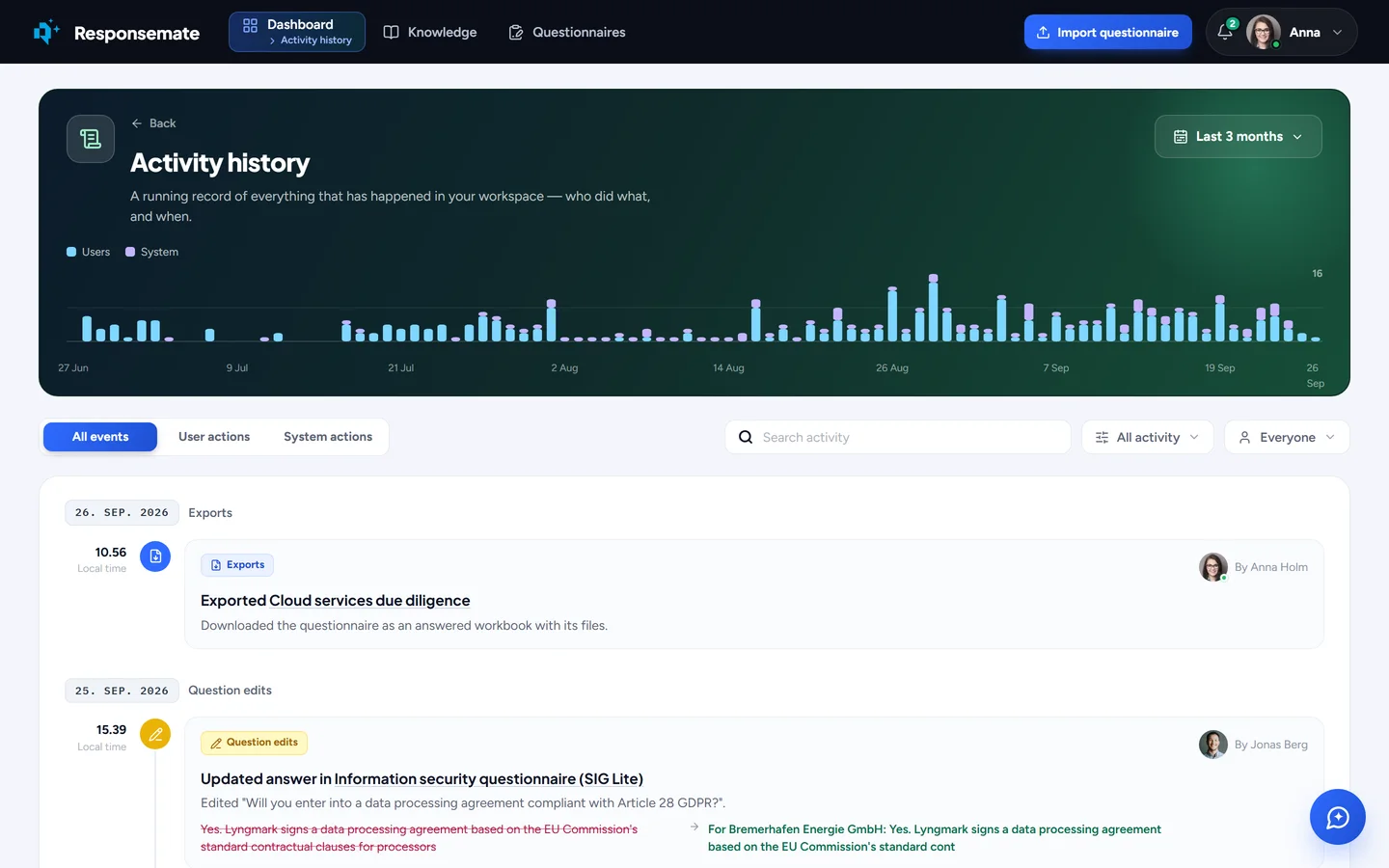
The activity history, by day.
Related