Trust center software that answers buyers from your own knowledge library
The Responsemate Trust Center is a public security page for your certificates, documents, controls and subprocessors, with an Ask box where buyers get answers from the material you published. It runs on the same knowledge library your team already uses for security questionnaires, so the page and your answers never drift apart.
We are opening the Trust Center to customers a few at a time. It runs in our demo workspace today, which is where every screenshot on this page comes from.
One page with everything a security reviewer asks for first
A buyer's security team opens your Trust Center before they send a questionnaire, or instead of sending one. They find your certificates, download the public policies, see which documents are available on request, read your security controls and subprocessors, and ask their own questions in the box at the top.
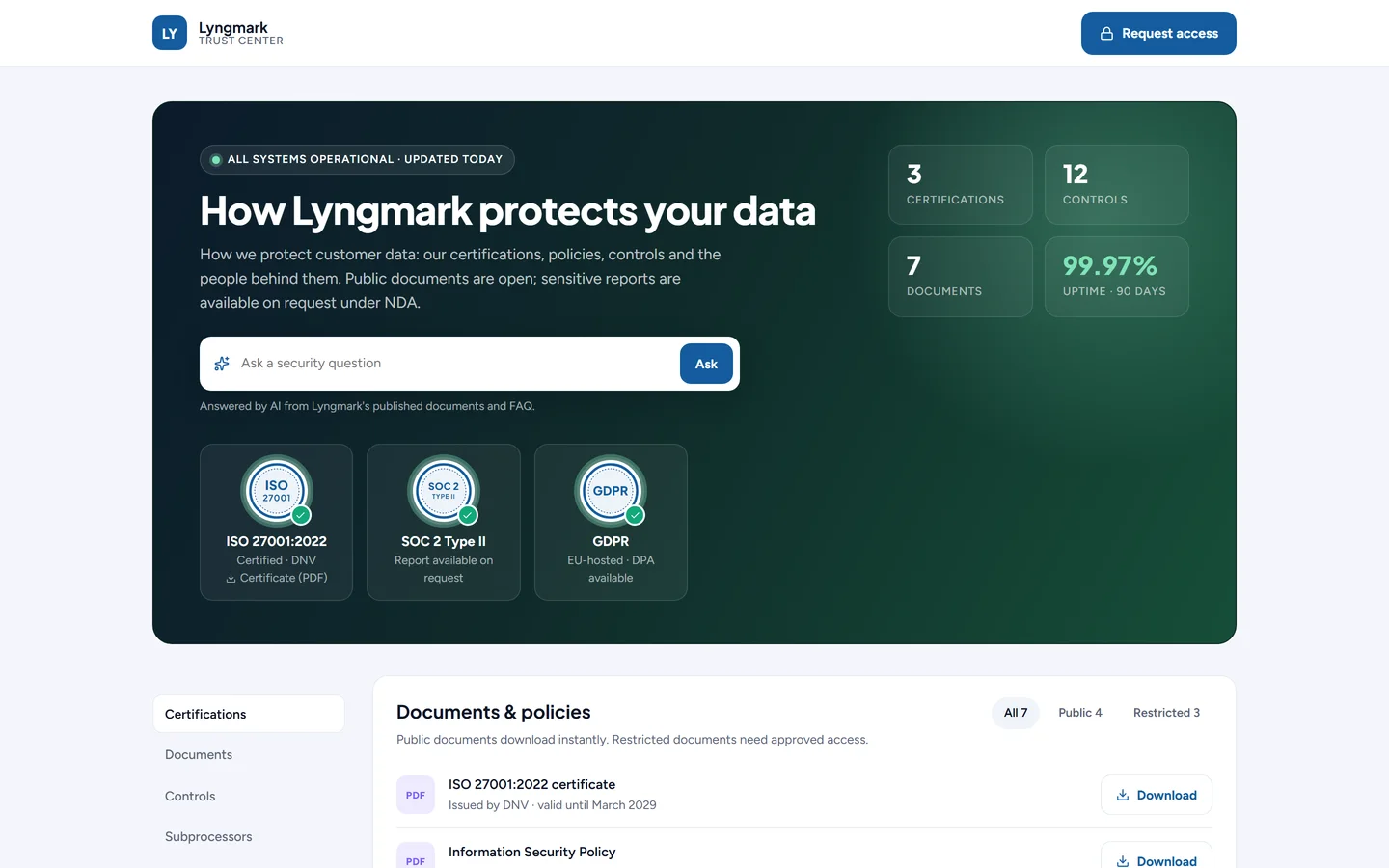
The demo company's Trust Center, as a visitor sees it.
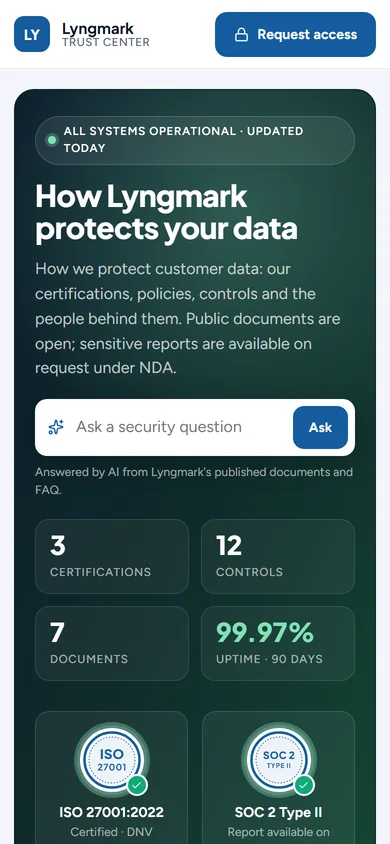
On a phone.
An Ask box that keeps to what you published
Visitors type a security question and get an answer in place, written by AI from your public documents and the Q&A entries you put on the FAQ. Nothing else in your knowledge library reaches it. Questions it could not answer show up for you, with Write answer beside them.
Controls and subprocessors
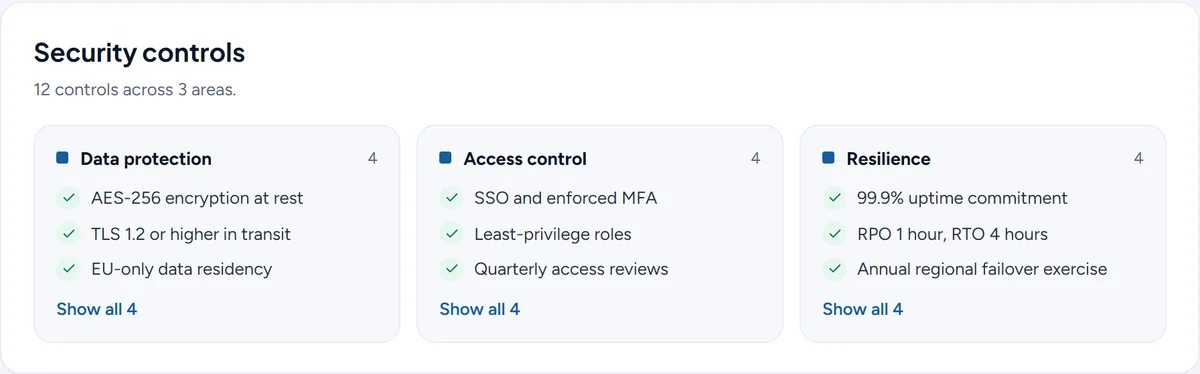
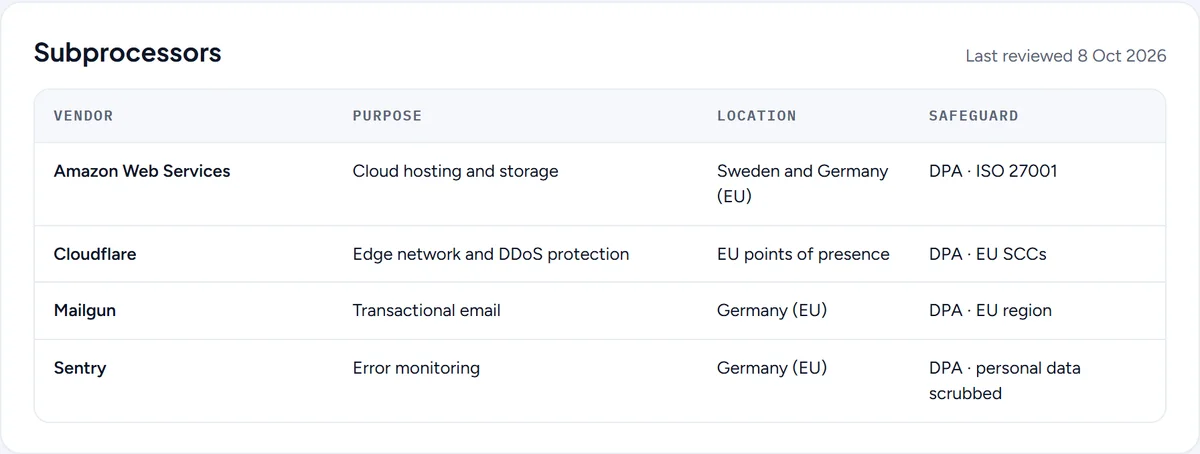
Security controls in groups such as data protection, access control and resilience, the first few of each shown with the rest a click away. Subprocessors in a table with their purpose, location and safeguard, and the date you last reviewed the list.
Status and a security contact
System status from your monitors or a link to your own status page, and the people to write to about security, vulnerabilities and privacy. Each section can be public, restricted to approved visitors, or left off the page.
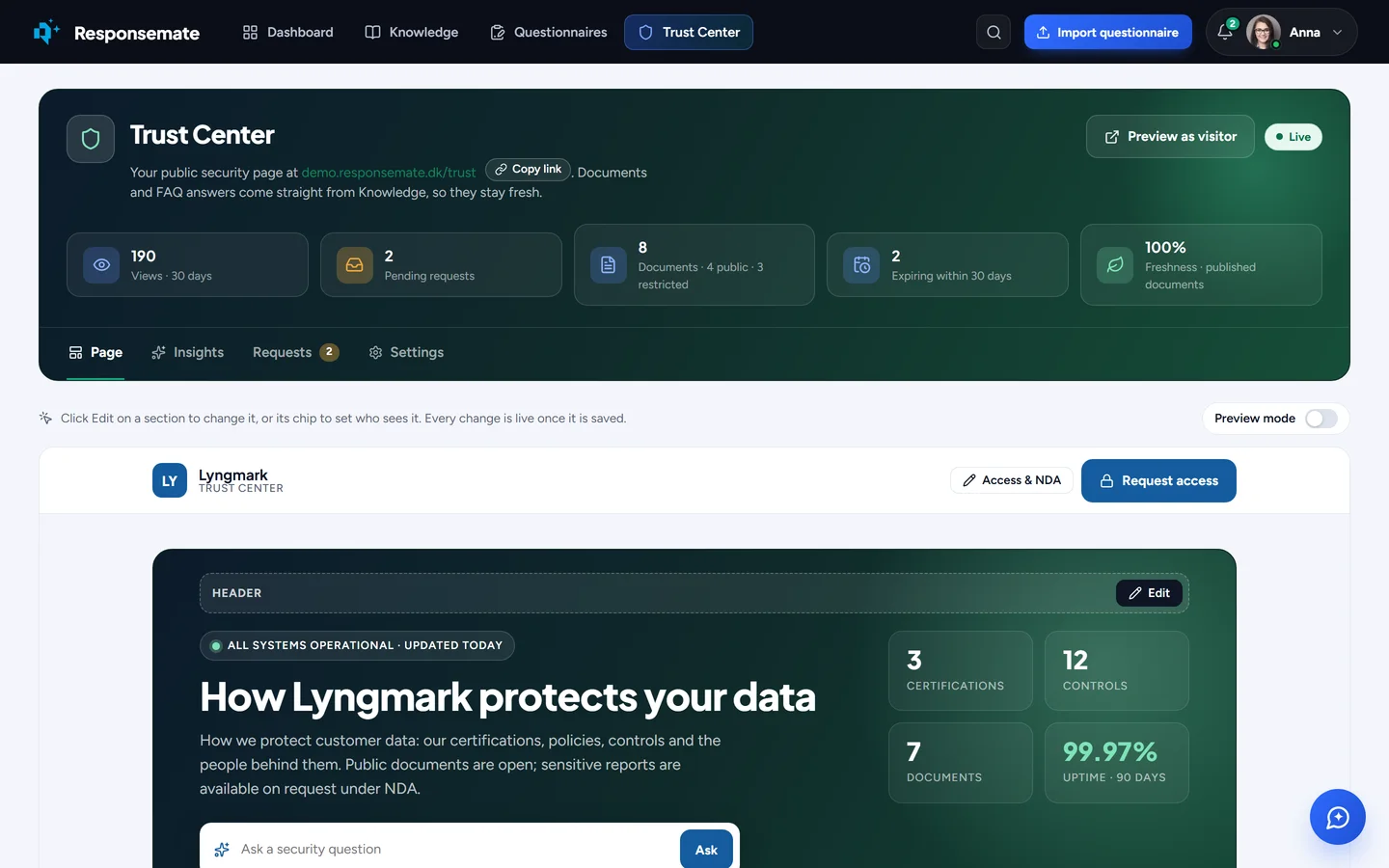
You edit the page itself, not a form about it
Inside Responsemate the Trust Center opens on the page your buyers see. Every section has an Edit button and a chip that says who can see it: Public, Restricted or Unpublished. Edit opens a side panel, and the page behind it updates as you save.
Preview mode shows the page exactly as a stranger would see it, and Preview as visitor opens it in a tab of its own. There is no separate publish step: a change is live once it is saved, and the page can be taken offline from the settings while you prepare it.
Sensitive reports behind an NDA, without the e-mail back and forth
Public documents download straight away. A restricted document, such as a penetration test report or a SOC 2 report, is listed with a lock and a Request button. The visitor fills in one short form and accepts your NDA in it.
- You approve or decline each request, or approve trusted e-mail domains on the spot
- An approved visitor gets a personal link that expires
- PDF downloads are watermarked with the visitor's e-mail address
- Every view and download is logged, and the log can be exported
- Only admins change the NDA text, and a change is asked about first
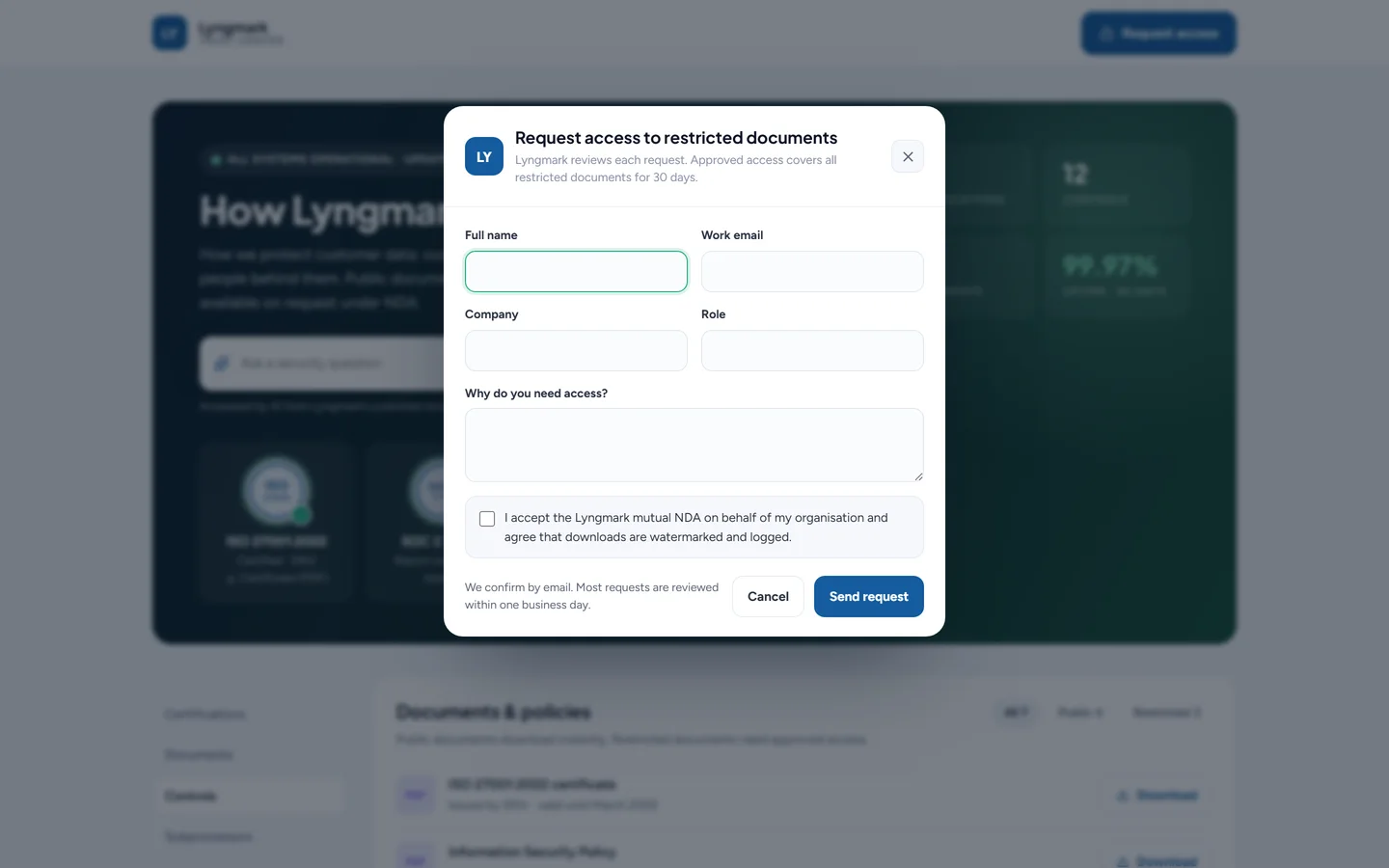
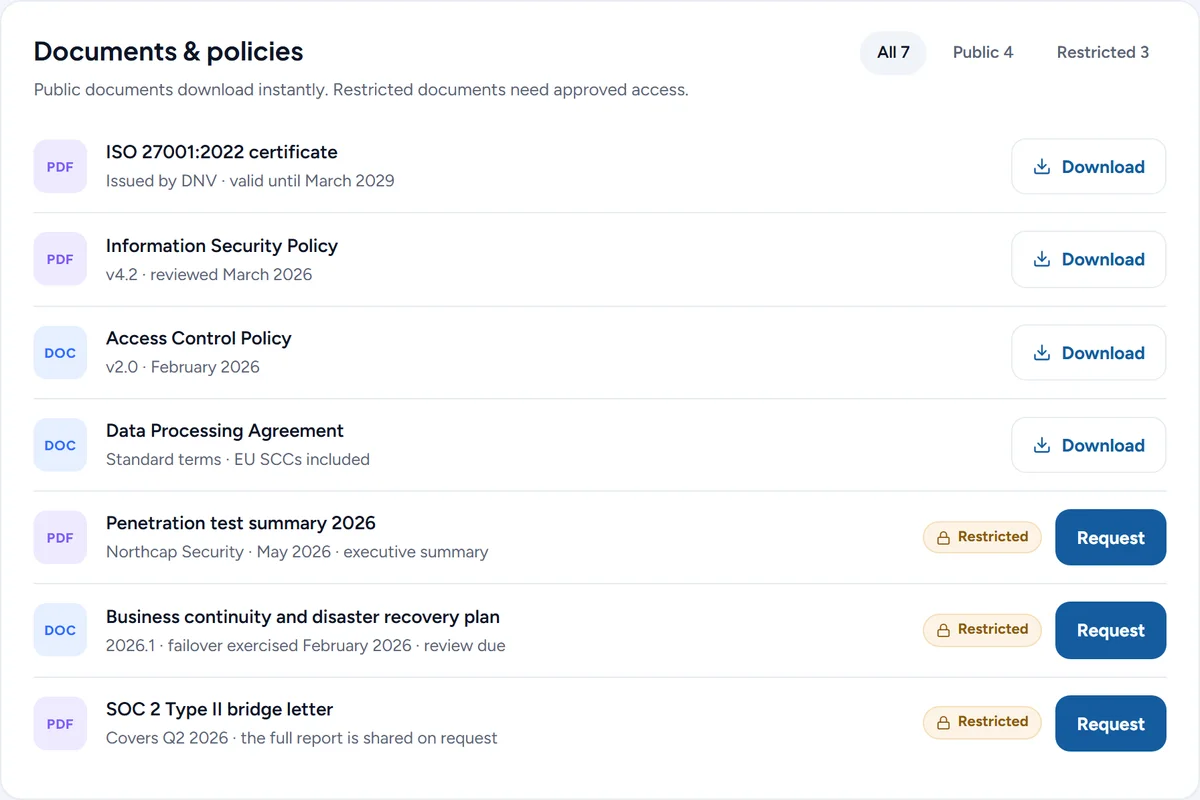
Documents come from your knowledge library
You add a document with Add from Knowledge, so the file on the Trust Center is the one your questionnaire answers already cite. Expiry dates follow the file, and you are reminded before a certificate or report runs out.
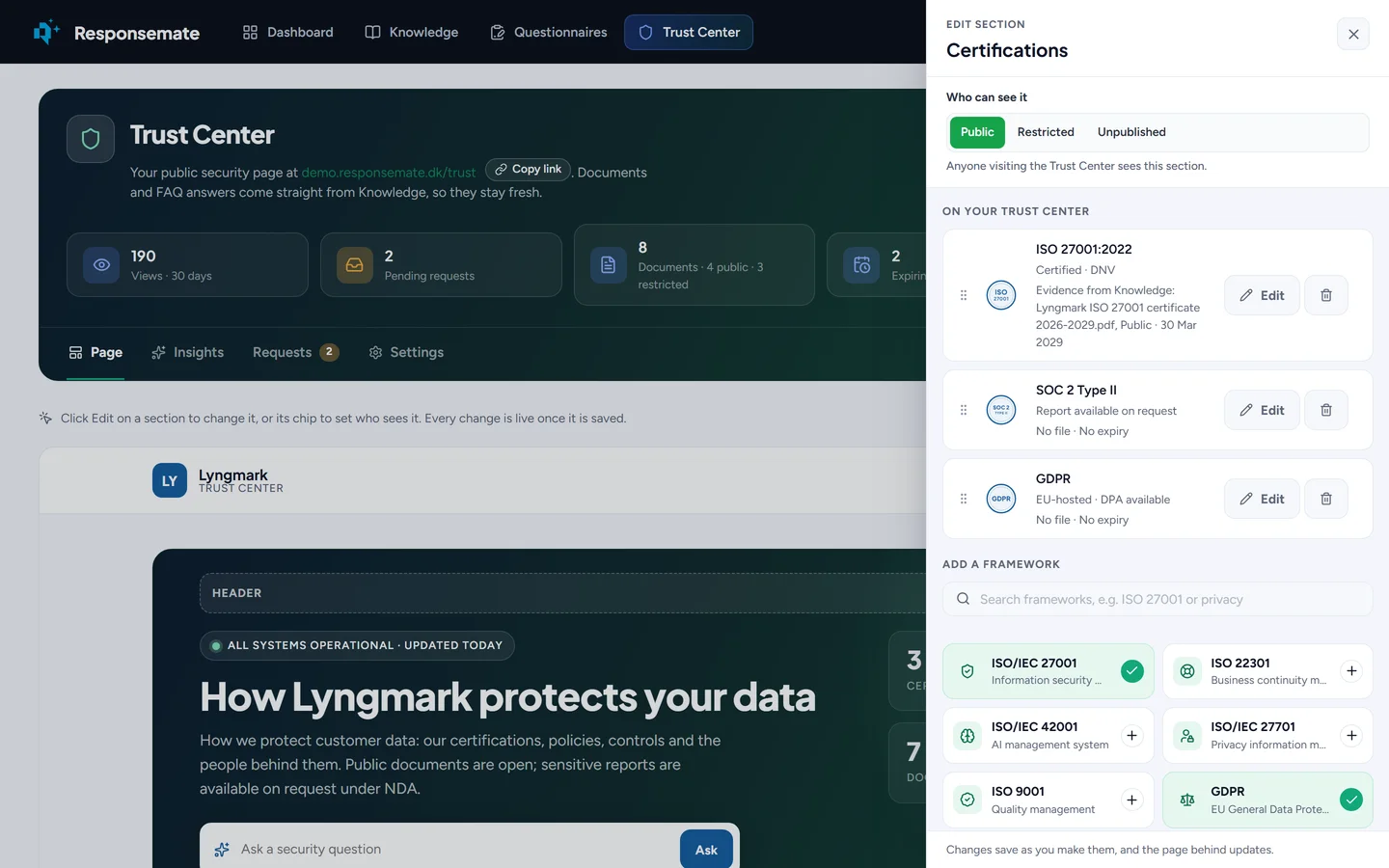
Certificates with a stamp, even before you have a logo for it
Pick a framework from the catalogue, such as ISO 27001, SOC 2 Type II, ISO 42001 or GDPR, add the valid-until date and link the certificate from your knowledge library as the evidence. The date can be read from the file.
Each certification gets a built-in stamp: a neutral seal with the framework's short name in your brand colour. It is our own design and never imitates an official mark. If you are allowed to use a certification body's mark, you can upload it instead.
The assistant fills in the Trust Center from what you already have
On an empty Trust Center the assistant offers Help me fill in the Trust Center. It reads your knowledge library and proposes up to four cards, each one confirmed by you before anything changes, or all at once with Confirm all.
What it proposes
Policies, reports and certificates from your library, added as Unpublished so nothing goes public by accident. The certifications your library has evidence for, with the file linked. Q&A entries about the topics buyers ask most. Your subprocessors.
From Claude and other MCP clients
The same actions are tools on the Responsemate MCP server: check the Trust Center's status, add documents and certifications, set who can see a document or a section, manage the FAQ, controls and subprocessors, and set the headline and security contact. A Viewer can read and change nothing.
What stays with a person
Taking the page online or offline, the custom domain, the NDA text and every decision on an access request are left to people on purpose. Each changes what outsiders see or who reads your restricted material.
The same facts in your Trust Center and your questionnaire answers
A trust center kept apart from your questionnaire work slowly says something different from the answers you send. In Responsemate both read from one knowledge library: Trust Center documents are your library files, and FAQ answers are your Q&A entries.
Update once
Replace a policy or reword an answer in the library and the Trust Center shows it. The freshness tile tells you how many published documents are current.
Share from a questionnaire
When you answer a questionnaire, share the Trust Center with the customer's contact, link documents to single answers, and put the link in the exported file.
See who is evaluating you
The Insights tab shows page views, downloads, the organisations behind access requests and the questions visitors asked. A question asked again and again becomes your next Q&A entry.
Questions worth asking any trust center tool
Trust center tools have been around for years, and several are mature products. If you are comparing, these are the questions that separate them, with our answers. Ask the other vendors the same ones. For the difference between a trust center and a questionnaire tool, see trust center vs. security questionnaire tool.
| Question | The Responsemate Trust Center |
|---|---|
| Where do the documents and answers on the page come from? | From the knowledge library your team uses for questionnaires. There is no second copy to keep in step. |
| What can the AI on the page see? | Only the documents you made public and the Q&A entries on your FAQ. Internal knowledge never reaches it, and you can switch the box off. |
| How are restricted documents released? | Through an access request with your NDA in the same form, approved by a person or by a trusted domain, with a personal expiring link, watermarked PDFs and a log of every download. |
| Who keeps the page current? | Anyone on your team except Viewers, on the page itself, with the assistant proposing additions from your library and reminders before documents expire. |
| Does it help with the questionnaires that still arrive? | Yes. It sits in the same product that imports and drafts questionnaires, and you can share the Trust Center from a questionnaire and put the link in the export. |
| Where is the data? | In the EU, with a Danish company behind it. See security and data handling. |
Questions about the Trust Center
Can I use the Trust Center today?
Not yet. The Trust Center is built and runs in our demo workspace, and we are opening it to customers a few at a time. Join the waiting list and we will tell you when your workspace can have it, or book a demo to see it now.
Can the Ask box reveal internal answers from our knowledge library?
No. The Ask box answers only from the Q&A entries you put on the Trust Center's FAQ and the documents you made public. Everything else in your knowledge library stays internal and never reaches the model behind the box.
Can we keep a penetration test report behind an NDA?
Yes. Mark the document Restricted. Visitors see that it exists and ask for access, accept your NDA in the same form, and once you approve they get a personal link that expires. Downloads are watermarked with their e-mail address and logged.
Do we have to keep a second copy of our documents?
No. Trust Center documents are files from your knowledge library and the FAQ answers are your Q&A entries. Replace a policy in the library and the Trust Center shows the new version.
Join the waiting list or book a demo
Tell us what you want your Trust Center to do. We will let you know when it can be switched on for your workspace, or show it to you on a call first if you prefer.
Related